
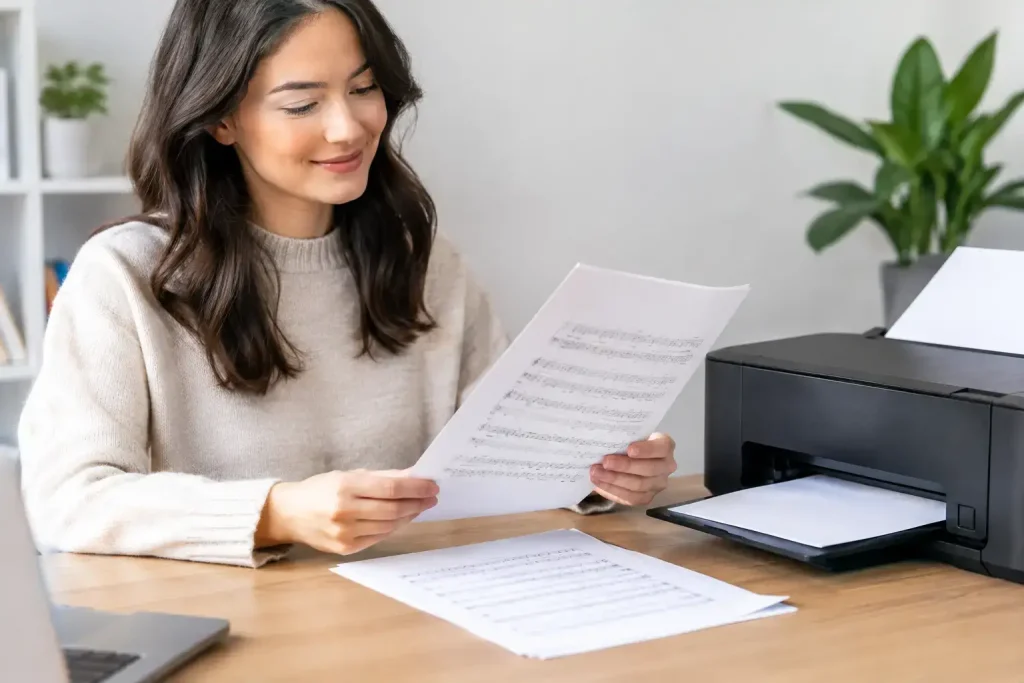
You found the exact song you want to play, purchased the arrangement, and now your keyboard is waiting. So, can I print purchased scores? In most cases, yes – when your purchase includes personal printing access and you follow the terms attached to that arrangement. Digital sheet music is designed to get licensed music into your hands quickly, often ready for viewing and printing from home.
The key is understanding that buying a digital score gives you access for your own music-making. It does not usually give you ownership of the song’s copyright or permission to copy and share it freely. Once you know the difference, printing your music for practice, lessons, or a personal performance becomes much more straightforward.
What buying a digital score usually includes
A digital sheet music purchase is different from buying a physical book. There is no package to wait for and no trip to the music store. After purchase, you typically access the arrangement online through your account or receive a print-ready format, depending on the score and retailer’s delivery method.
For musicians, the practical benefit is simple: you can choose one song, get the notation you need, and put it on your stand the same day. That may be a piano solo, a vocal arrangement with lyrics, piano-vocal-guitar notation, guitar chords, or tabs. The exact contents depend on the product listing, so it is worth checking the instrument, key, difficulty level, and page count before purchasing.
Printing access is generally intended for personal use. That can include keeping a paper copy at your piano, marking fingerings during practice, bringing a copy to a private lesson, or preparing for a performance where you are permitted to use the arrangement. It does not mean you can email the file to friends, post the pages online, make copies for a class, or distribute a stack to a band or choir.
Can I print purchased scores more than once?
It depends on the license and the way the score is delivered. Some digital purchases allow you to print the music whenever you need a fresh personal copy. Others may have print limits, browser-based printing controls, or account access requirements. The terms shown with the purchase are the source to rely on.
That distinction matters because licensed music is tied to the rights of songwriters and publishers. A print limit is not there to make practice harder. It helps ensure that a single purchase remains a personal copy rather than becoming an easy way to distribute copyrighted music to many people.
If you need a replacement because coffee found its way onto page two, first check your account and the original purchase details. You may be able to reopen the score and print another permitted copy. If the music is accessed through an online viewer, use the viewer’s print option rather than trying to copy, screenshot, or recreate the pages.
How to print digital sheet music clearly
A good printout makes a real difference when you are reading chords, tracking lyrics, or moving through a page turn at tempo. Before printing, open the score on a computer or tablet with a screen large enough to review the layout. Confirm that you have selected the correct printer and that it has enough ink or toner.
Choose a paper size that matches the arrangement’s page setup. In the United States, that is often Letter size, 8.5 by 11 inches. Select actual size or 100 percent scaling when possible. Shrinking the page to fit can make noteheads, accidentals, chord symbols, and lyrics harder to read, especially in denser piano arrangements.
If your printer offers double-sided printing, use it only when it helps the page turns. A two-page score may work well front and back. For longer music, single-sided pages can be easier to lay flat, tape together, or place in a binder. Think about how you will use the music at the instrument, not just how many sheets of paper you can save.
Print one test page first if the score has small notation or if you are using a printer you do not know well. Check that the bottom staff, repeat signs, dynamics, and lyrics are not cut off. Then print the remaining pages.
A few simple setup checks
Before you press Print, make sure the full score is loaded, page orientation matches the music, and the preview shows every page. Portrait orientation is common, but some guitar tabs or wider arrangements may use landscape. Do not force the wrong orientation just to fit a preferred paper setting.
For best results, avoid printing from a tiny phone screen if you have another option. Mobile printing can work, but computer print previews make it easier to spot scaling problems and select the pages you need. If your score is available in an online viewer, use the approved controls provided there.
What you can do with a personal printed copy
Your printed score is a working tool, and musicians naturally need to interact with it. Personal markings are usually part of the learning process. You can write in fingerings, highlight a tricky rhythm, circle an unfamiliar chord, note a breath mark, or add a reminder to slow down before the bridge.
You can also keep your printout with your own practice materials. Many players place it in a binder, use removable tabs for difficult sections, or make notes after a lesson. These habits turn a purchased arrangement into something useful for daily progress.
The line is crossed when the score is copied or shared beyond your personal use. Avoid scanning it, uploading it to cloud folders that others can access, sending images in a group chat, or leaving copies for other performers to take. If several people need the arrangement, each person or organization should obtain the appropriate licensed access.
Printing scores for lessons, groups, and performances
Personal use can become less clear when other people are involved. If you are a teacher, student, accompanist, worship musician, or band member, ask who needs a copy and whether each person has permission to use one.
For example, printing a score you purchased to practice at home is different from making ten copies for students. Likewise, bringing your own legally purchased arrangement to play at a recital is different from distributing copies to every singer in an ensemble. Copyright permissions for group use, public performance, and educational settings can vary, so do not assume that one personal purchase covers everyone.
If you are performing from your own copy, plan ahead. Print early, test the page order, and decide how you will manage turns. A page-turning problem can interrupt even a well-prepared performance. For a three- or four-page song, it may help to use a binder, page tabs, or a stable stand that lets you place pages side by side.
If the print option is not working
Start with the basics. Sign in to the account used for the purchase, reopen the score from your library or order history, and look for the designated print command. A blocked pop-up window, an outdated browser, a temporary connection issue, or a printer set to offline can all interrupt the process.
If the page looks blank or incomplete in the preview, refresh the viewer and try again from a current desktop browser. Check your printer settings for margins, scale, orientation, and paper size. A score that is technically printing may still be unusable if the printer is cropping the edges.
When the issue appears to be related to your purchase access rather than your printer, keep your order information handy and contact the retailer’s support team. At FreshSheetMusic.com, the goal of digital delivery is to help musicians get from choosing a song to playing it without unnecessary delay. Clear purchase details and approved printing options protect that convenience while respecting the creators behind the music.
A purchased score is most valuable when it leaves the screen and becomes part of your practice routine. Print it according to its license, set it on the stand, make the markings that help you learn, and let the first read-through begin.
Can I Print Purchased Scores?
Can I print music I have purchased?
Usually, yes. Whether you can print music you have purchased depends on the seller’s license and the format provided. Check the product page or purchase terms to confirm that printing is allowed and whether there are limits on the number of copies.
How do I download digital sheet music files?
After your purchase, sign in to the store account used to place the order and open your library or order history. Select the score’s title and choose the download button to save the digital sheet music files to your device.
How do I learn how to print a purchased score?
Open the downloaded file in a compatible PDF reader, then select Print from the File menu or use the printer button. Review the page size, orientation, and scaling settings before printing so the score is clear and fits the paper.
Can I print purchased scores from MuseScore?
MuseScore printing options depend on the specific score and the terms attached to it. Check the score’s purchase details and your account’s download options; if a printable file is available, download it and print it using a PDF reader or compatible notation software.
Why can’t I see a print button for my purchase?
Some digital products are designed for on-screen display and may not include a printable download. Check the product description, account menu, and help information. If printing should be included, contact the seller or platform support for assistance.
Can I print vocal scores and other arrangements?
You can print vocal scores or other arrangements when the license permits it and the seller provides a printable file. Make sure you print only the parts and number of copies allowed by the purchase terms.
Will a score print automatically after I buy it?
Usually, no. Purchasing a score does not generally send it to a printer automatically. You’ll typically need to download the file, open it, and choose your printer settings yourself.
What should I do if the printed music does not look right?
Check that the score looks correct in the file before printing. In the print menu, try “fit to page” or “actual size,” confirm the paper size, and make sure no pages are accidentally excluded. You can print one test page before printing the complete score.
Can I share or make multiple copies of music I have purchased?
Permission to print a score does not necessarily allow you to share the file or make copies for other musicians. Review the license for rules on personal use, ensemble copies, and redistribution, and contact the rights holder if the terms are unclear.